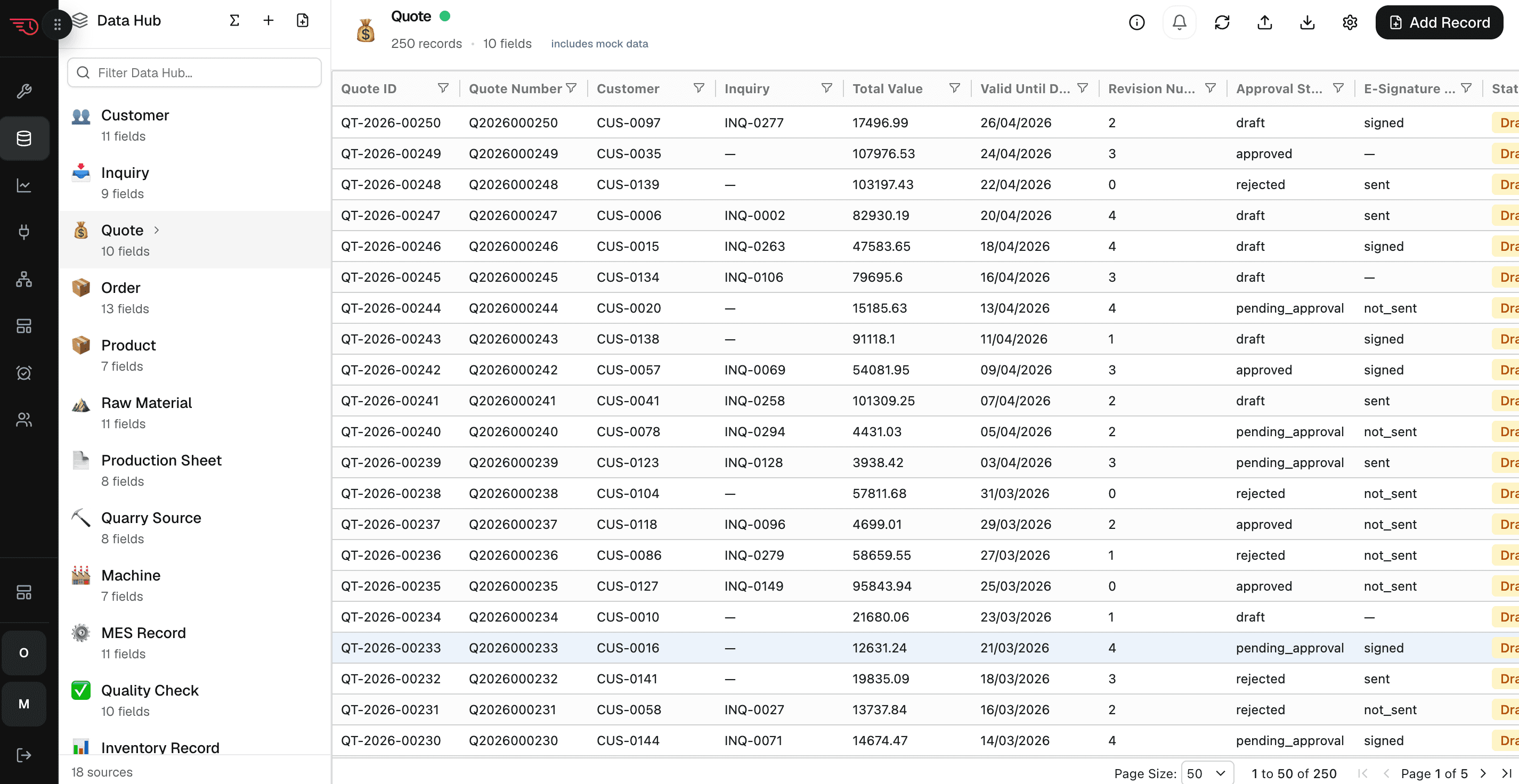
Data Hub
One operational source of truth every agent can use.
ERP, CRM, TMS, spreadsheets, and field systems are unified into typed workspace data, so agents execute from live context instead of stale exports.

Under the Hood
Five layers — Data Hub, Watches, Agents & Automations, Feeds, and Governance — assembled and operated by us. This is the infrastructure behind every briefing, alert, and scorecard we deliver to your team.
What runs underneath
The same five layers share one foundation: live data, continuous watches, governed agent actions, generated feeds, and a full audit trail — so the operation keeps working without waiting for someone to refresh it.
Data Hub
One operational source of truth every agent can use.
ERP, CRM, TMS, spreadsheets, and field systems are unified into typed workspace data, so agents execute from live context instead of stale exports.
Watches
Every condition monitored continuously.
Thresholds, record changes, SLA risks, and exceptions run through always-on watches, giving agents the signal they need before the next review cycle.
Agents & Automations
Work moves forward under governance.
Tool grants, scripts, and reasoning let agents and automations route escalations, draft communications, and update records — pausing for approval when consequences matter.
Feeds
Briefings, updates, and summaries generated from live data.
The platform turns current records into morning briefings, risk summaries, customer updates, collections lists, and other feed outputs on cadence.
Governance
You set the policy; the runtime enforces it.
Every tool carries a side-effect class, so the right approval tier applies automatically — low-risk work runs, consequential work waits for a person, and every action is logged.
Workspaces
The workspace houses the brief, schema, data, analytics, automations, feeds, groups, tools, agents, tasks, and approvals for your project. It can start as reporting, become automation, and later support agents without moving to a new platform.
Every workspace runs on a typed schema — entities, fields, relations, attachments, and records with real columns. Analytics, automations, feeds, and agents all work from the same data.
Watches evaluate thresholds, segments, KPIs, and record-level changes. When a condition fires, it can create a feed, trigger an automation, or invoke an agent/tool path.
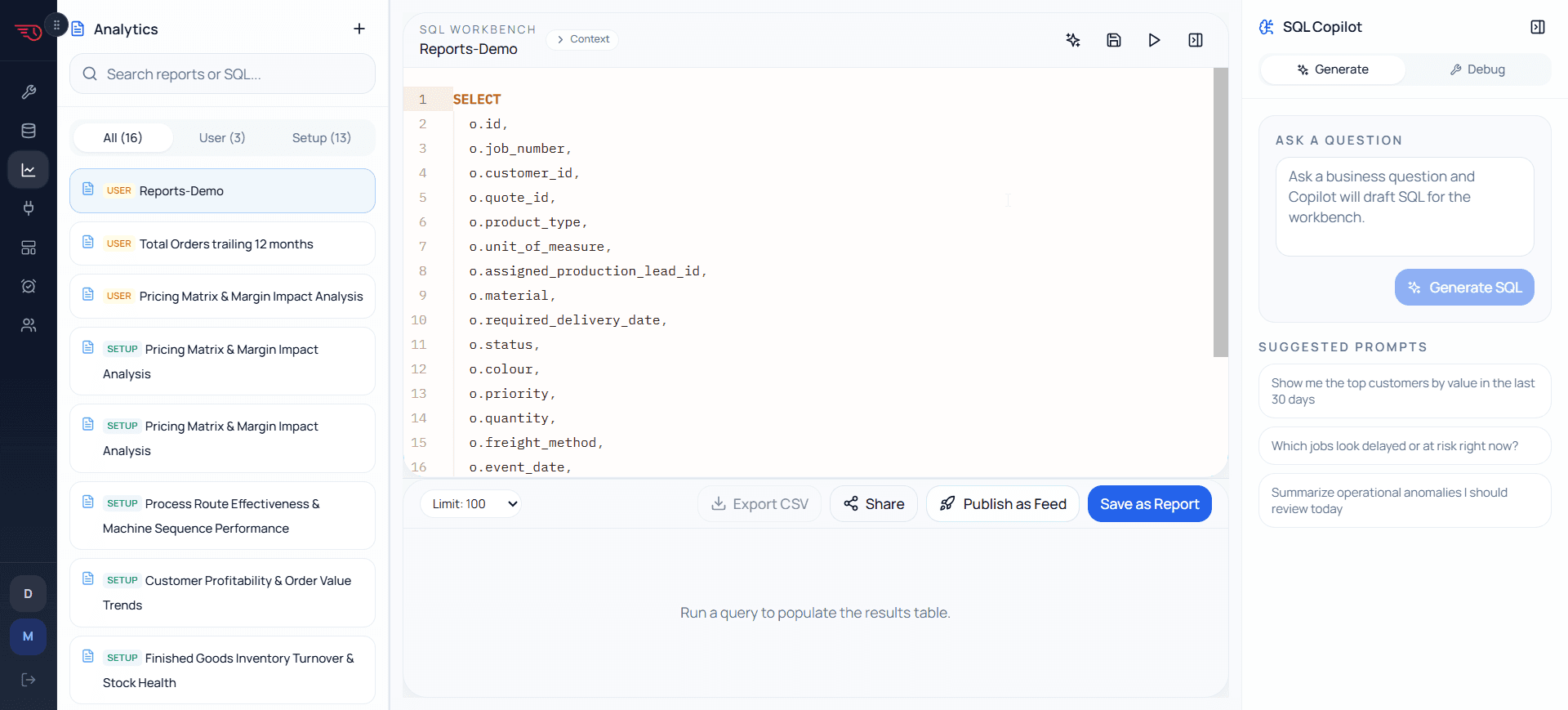
The SQL workbench, KPI model, saved reports, and feed publishing flow let the workspace answer questions and deliver intelligence from the same schema.
Workspace Runtime
The platform links data, automation, generated outputs, callable tools, schedules, and approval policy so each project is delivered as one operated workspace.
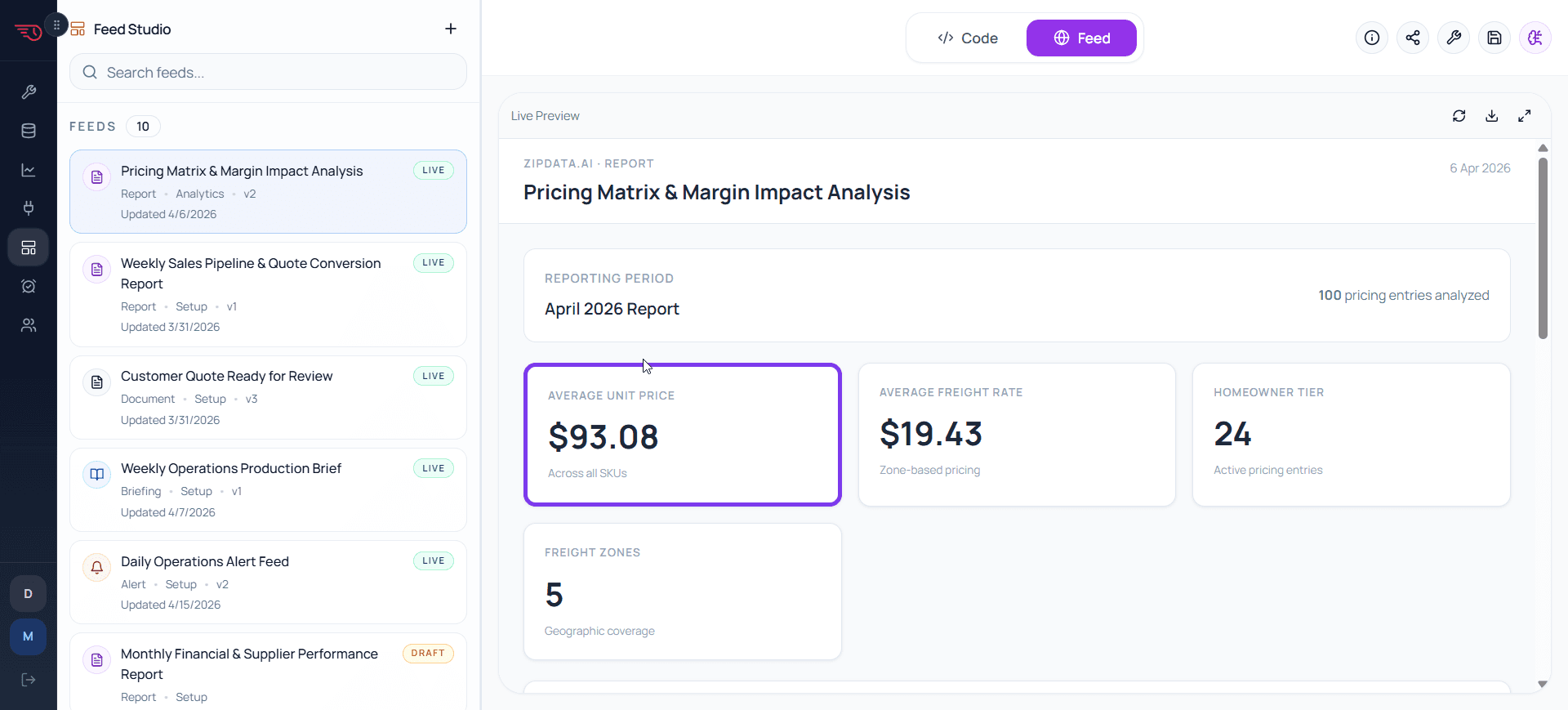
Twelve feed types — briefings, scorecards, alerts, statements, customer updates, documents — generated from workspace data and shaped for each group.
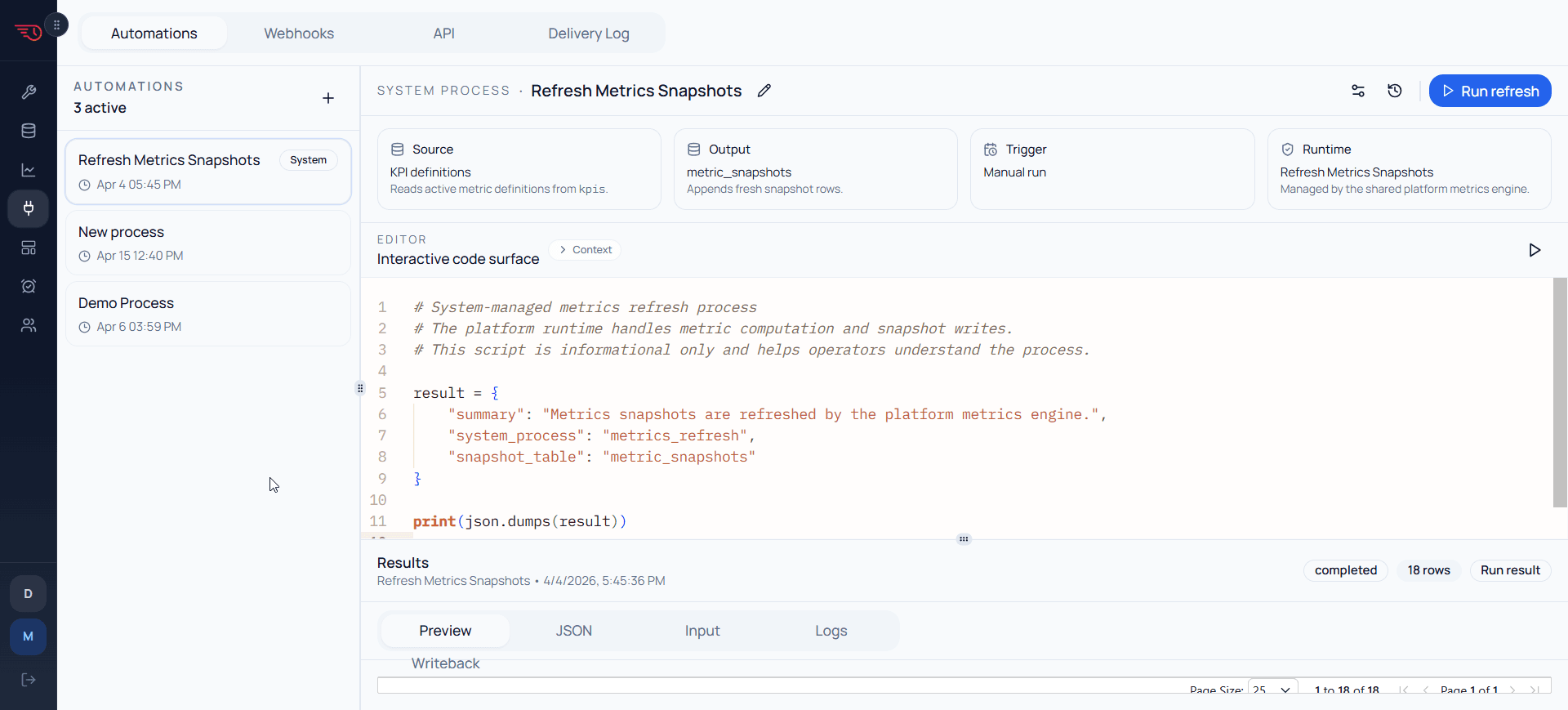
Native tools, Python, webhooks, and connected integrations let automations and agents act without hard-coding every project from scratch.
Approval policy travels with the workspace. Low-risk work can run or draft automatically; consequential work queues for human review.
The Runtime
Data Hub, Watches, Agents & Automations, Feeds, and Governance — the six parts named on the homepage, grouped here into five runtime layers, with Agents and Automations sharing the Execute layer. Each keeps the operational picture accurate, current, and actionable. Built and proven in manufacturing first.
Layer 1 — Integrate
Entity schemas, connectors, and imports — including inbound documents from suppliers and partners, extracted automatically without manual data entry — into one live operational model that agents, analytics, and humans trust.
Layer 2 — Analyse
Analytics, KPI computation, passive proposals, and Analyst Watches scan live records continuously. Exceptions surface before the daily stand-up, not after. The analyst layer proposes new feeds, watches, and automations based on detected patterns.
Layer 3 — Execute
Agents run as named roles with explicit triggers, tool grants, action capabilities, and approval policies. Automations provide the script and tool substrate for repeatable work. Every agent action is scoped by a deny-by-default tool allowlist.
Layer 4 — Output
Feed Studio generates 12 feed types from live workspace data via two authoring paths: LLM generation for briefings and alerts where the analyst voice matters, and uploaded Jinja templates for compliance packs, certificates, and branded quotes that must be identical every time. Feeds are versioned artifacts delivered to groups on a committed schedule.
Layer 5 — Govern
Every action an agent can take is assigned a governance tier based on how consequential it is. Low-risk actions run automatically. Customer-facing or financially material actions require explicit approval. Every run is logged with reasoning, action, and who approved it.
Setup Spine
Describe your operation. Zipdata proposes the entity model, KPI definitions, automations, feed templates, delivery groups, and agent configurations needed for that project type. Each step is reviewed before it becomes part of the workspace.
Plain-language description of the operation. Zipdata generates entity models, KPI definitions, and connector scripts from this brief.
Entity schema is proposed and approved step by step. Every field gets a typed column — text, number, date, select, relation.
Connector scripts are generated for every source system. Pull schedules, authentication, and field mappings are configured here.
E2B sandbox runs Python scripts to seed realistic records. The workspace is operational before live data is connected.
KPI SQL formulas are proposed from the entity model. OTIF, SLA, margin, and custom metrics are defined and verified.
Initial SQL queries are generated. The workspace analytics library starts populated with the KRAs that matter.
Analyst Watches are configured: thresholds, segment conditions, and trigger modes. Each watch has an explicit output action.
Feed Studio builds the first briefings, scorecards, and alert templates from live query data. Delivery schedule is committed.
Groups are created, delivery is activated, and the workspace goes live. First automated briefing within 48 hours.
Outputs & Actions
Feeds create the client-facing outputs. Groups personalize who receives them. Tools let automations and agents perform controlled actions. Together, they turn the workspace from a data project into an operated delivery environment.
NativeCore reads, writes, KPI computation, watch evaluation, feed generation, and entity write-backs built directly into the platform. Zero latency, no auth overhead.
PythonSandboxed Python for transforms, forecasting, enrichment, and file processing. Secrets are injected; the sandbox has no default network access.
WebhookOutbound HTTP contracts for ERP write-backs, legacy systems, and custom notification pipelines. Payload schema is defined on the tool.
MCPModel Context Protocol integrations for regulated environments where data must stay within your trust boundary. Bring your own MCP server URL.
250+ appsManaged OAuth access to Salesforce, Jira, Gmail, HubSpot, Slack, Linear, ServiceNow, and 245+ more. OAuth connections are managed per workspace.
TestSchema-generated synthetic responses for demos, agent development, and approval-flow testing — no live side effects.
Governance Model
Approval tiers derive from each tool's side-effect class — not from per-agent configuration. Add a new tool and it inherits the right tier automatically. The governance surface does not expand as your operation grows.
Configured for your operation
We map your operation to a domain template, seed it with realistic data, and show you your first agent-generated briefing before the demo call begins.